|
网页的本质就是超级文本标记语言,通过结合使用其他的Web技术(如:脚本语言、公共网关接口、组件等),可以创造出功能强大的网页。因而,超级文本标记语言是万维网(Web)编程的基础,也就是说万维网是建立在超文本基础之上的。超级文本标记语言之所以称为超文本标记语言,是因为文本中包含了所谓“超级链接”点。 这篇文章主要介绍了JavaScript与HTML的结合方法,利用实例向大家介绍JavaScript与HTML是如何结合的,内容很详细,感兴趣的小伙伴们可以参考一下HTML中的JavaScript脚本必须位于<script>与</script>标签之间,JavaScript脚本可被放置在HTML页面的<body>标签和<head>标签中,这种视情况而定,一般放在<head>标签内。 <span style="font-size:18px;"><script type="text/javascript">
alert("欢迎来到JavaScript世界!!!");
</script></span> 您无需理解上面的代码。只需明白,浏览器会解释并执行位于 <script> 和 </script> 之间的 JavaScript。那些老 <!DOCTYPE html PUBLIC "-//W3C//DTD XHTML 1.0 Transitional//EN" "http://www.w3.org/TR/xhtml1/DTD/xhtml1-transitional.dtd">
<html xmlns="http://www.w3.org/1999/xhtml">
<head>
<meta http-equiv="Content-Type" content="text/html; charset=gb2312" />
<title>JavaScript脚本语言</title>
>
</head>
<body>
<p>
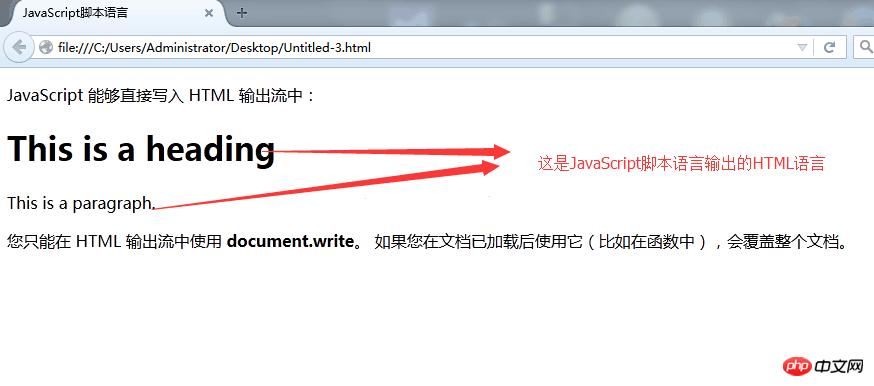
JavaScript 能够直接写入 HTML 输出流中:
</p>
<script type="text/javascript">
document.write("<h1>This is a heading</h1>");
document.write("<p>This is a paragraph.</p>");
</script>
<p>
您只能在 HTML 输出流中使用 <strong>document.write</strong>。
如果您在文档已加载后使用它(比如在函数中),会覆盖整个文档。
</p>
</body>
</html>我们先不管JavaScript代码怎么写和怎么运行,先来看运行结果:
三、JavaScript 函数和事件 四、<head>或<body>中的JavaScript 五、<head>中的JavaScript函数 <!DOCTYPE html PUBLIC "-//W3C//DTD XHTML 1.0 Transitional//EN" "http://www.w3.org/TR/xhtml1/DTD/xhtml1-transitional.dtd">
<html xmlns="http://www.w3.org/1999/xhtml">
<head>
<meta http-equiv="Content-Type" content="text/html; charset=gb2312" />
<title>JavaScript脚本语言</title>
<script type="text/javascript">
function myFunction()
{
document.getElementById("demo").innerHTML="My First JavaScript Function";
}
</script>
</head>
<body>
<h1>My Web Page</h1>
<p id="demo">A Paragraph.</p>
<button type="button" onclick="myFunction()">点击这里</button>
</body>
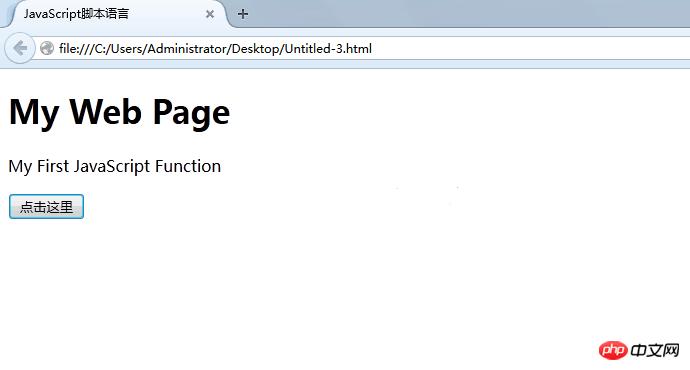
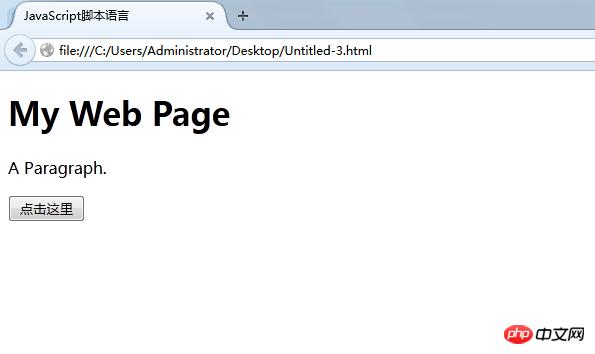
</html>运行的结果为:
点击按钮后的效果为:
六、<body>中的JavaScrip 函数 <!DOCTYPE html PUBLIC "-//W3C//DTD XHTML 1.0 Transitional//EN" "http://www.w3.org/TR/xhtml1/DTD/xhtml1-transitional.dtd">
<html xmlns="http://www.w3.org/1999/xhtml">
<head>
<meta http-equiv="Content-Type" content="text/html; charset=gb2312" />
<title>JavaScript脚本语言</title>
</head>
<body>
<h1>My First Web Page</h1>
<p id="demo">A Paragraph.</p>
<button type="button" onclick="myFunction()">点击这里</button>
<script type="text/javascript">
function myFunction()
{
document.getElementById("demo").innerHTML="My First JavaScript Function";
}
</script>
</body>
</html> 运行的结果与上述五的结果一样! <!DOCTYPE html PUBLIC "-//W3C//DTD XHTML 1.0 Transitional//EN" "http://www.w3.org/TR/xhtml1/DTD/xhtml1-transitional.dtd"> <html xmlns="http://www.w3.org/1999/xhtml"> <head> <meta http-equiv="Content-Type" content="text/html; charset=gb2312" /> <title>JavaScript脚本语言</title> <script type="text/javascript" src="/js/myScript.js"></script> </head> <body> <h1>My Web Page</h1> <p id="demo">A Paragraph.</p> <button type="button" onclick="myFunction()">点击这里</button> <p><b>注释:</b>myFunction 保存在名为 "myScript.js" 的外部文件中。</p> </body> </html> myScript.js代码: function myFunction()
{
document.getElementById("demo").innerHTML="My First JavaScript Function";
} 运行的结果和上述一致! 以上就是JavaScript与HTML的结合方法,希望对大家的学习有所帮助。 相关推荐: JavaScript与html5如何实现canvas绘制圆形图案的方法介绍 以上就是JavaScript与HTML的结合方法详解的详细内容,更多请关注php中文网其它相关文章! 网站建设是一个广义的术语,涵盖了许多不同的技能和学科中所使用的生产和维护的网站。 |
温馨提示:喜欢本站的话,请收藏一下本站!
本站发布的Win7纯净版系统、Win10纯净版和XP纯净版系统仅为个人学习测试使用,请在下载后24小时内删除,不得用于任何商业用途,否则后果自负,请支持购买微软正版软件!
本站所有资源全部来自于网络资源,如侵犯到您的权益,请及时通知我们(),我们会及时处理.
Copyright © 2018-2020 萝卜系统下载站 手机站 关于本站