
|
网页的本质就是超级文本标记语言,通过结合使用其他的Web技术(如:脚本语言、公共网关接口、组件等),可以创造出功能强大的网页。因而,超级文本标记语言是万维网(Web)编程的基础,也就是说万维网是建立在超文本基础之上的。超级文本标记语言之所以称为超文本标记语言,是因为文本中包含了所谓“超级链接”点。 这篇文章主要介绍了关于HTML+CSS和DIV如何实现排版布局,有着一定的参考价值,现在分享给大家,有需要的朋友可以参考一下HTML CSS + div实现排版布局1.网页可以看成是由一个一个“盒子”组成,如图:
由上图可以看出,页面分为上(网站导航)、中、下(版权声明)三个部分,
单列布局案例:代码如下:<!doctype html>
<html>
<head>
<meta charset="utf-8"/>
<title>单列布局</title>
</head>
<style>
body{
margin:0;
}
.box{
width:960px;
margin:0 auto;
}
.box .header{
height:120px;
border:1px solid #f00;
line-height:120px;
}
.box .main{
height:300px;
border:1px solid #0f0;
line-height:300px;
}
.box .footer{
height:100px;
border:1px solid #00f;
line-height:100px;
}
p{
text-align:center;
}
</style>
<body>
<p class="box">
<p class="header">头部</p>
<p class="main">主题</p>
<p class="footer">底部</p>
</p>
</body>
</html>运行结果:
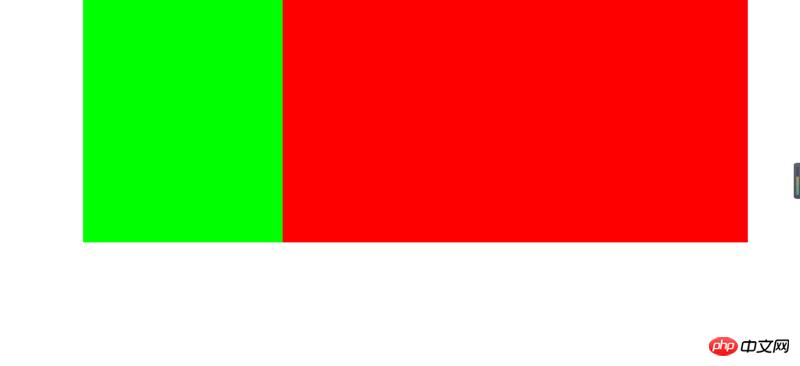
双列布局案例:代码如下:<!doctype html>
<html>
<head>
<meta charset="utf-8"/>
<title>双列布局</title>
</head>
<style>
body{
margin:0;
}
.box{
width:80%;
margin:0 auto;
overflow:hidden;
}
.box .left{
width:30%;
height:400px;
background-color:#0f0;
float:left;
}
.box .right{
width:70%;
height:400px;
background-color:#f00;
float:left;
}
</style>
<body>
<p class="box">
<p class="left"></p>
<p class="right"></p>
</p>
</body>
</html>运行结果如下图:
三列布局案例:代码如下:<!doctype html>
<html>
<head>
<meta charset="utf-8"/>
<title>三列布局</title>
</head>
<style>
body{
margin:0;
}
.box{
width:960px;
margin:0 auto;
position:relative;
}
.box .left{
width:200px;
height:400px;
background-color:#0f0;
position:absolute;
}
.box .center{
height:400px;
background-color:#00f;
margin:0 300px 0 200px;
}
.box .right{
width:300px;
height:400px;
background-color:#f00;
position:absolute;
right:0;
top:0;
}
</style>
<body>
<p class="box">
<p class="left"></p>
<p class="center"></p>
<p class="right"></p>
</p>
</body>
</html>运行结果如下图:
混合布局案例:代码如下:<!doctype html>
<html>
<head>
<meta charset="utf-8"/>
<title>混合布局</title>
</head>
<style>
body{
margin:0;
}
.box{
width:960px;
margin:0 auto;
}
.header{
height:120px;
background-color:#ddd;
}
.main{
height:400px;
background-color:#f00;
position:relative;
}
.main .left{
width:200px;
height:400px;
position:absolute;
left:0;
top:0;
background-color:#0fccaa;
}
.main .center{
height:400px;
margin:0 305px 0 205px;
background-color:#123456;
}
.main .right{
width:300px;
height:400px;
position:absolute;
right:0;
top:0;
background-color:#ff0;
}
.footer{
height:80px;
background-color:#ddd;
}
</style>
<body>
<p class="box">
<p class="header"></p>
<p class="main">
<p class="left"></p>
<p class="center"></p>
<p class="right"></p>
</p>
<p class="footer"></p>
</p>
</body>
</html>运行结果如下图:
以上就是本文的全部内容,希望对大家的学习有所帮助,更多相关内容请关注PHP中文网! 相关推荐: 以上就是HTML+CSS和DIV如何实现排版布局的详细内容,更多请关注php中文网其它相关文章! 网站建设是一个广义的术语,涵盖了许多不同的技能和学科中所使用的生产和维护的网站。 |
温馨提示:喜欢本站的话,请收藏一下本站!
本站发布的Win7纯净版系统、Win10纯净版和XP纯净版系统仅为个人学习测试使用,请在下载后24小时内删除,不得用于任何商业用途,否则后果自负,请支持购买微软正版软件!
本站所有资源全部来自于网络资源,如侵犯到您的权益,请及时通知我们(),我们会及时处理.
Copyright © 2018-2020 萝卜系统下载站 手机站 关于本站

![496770612-5b46ce6edc7b8_articlex[1].jpg](http://img2-2.luoboxitong.cn//upload/web_2/webseo_1213053428_1.jpg "1531469577206233.jpg")
![1376923543-5b46cf378eab4_articlex[1].jpg](http://img2-2.luoboxitong.cn//upload/web_2/webseo_1213053428_2.jpg "1531469585501570.jpg")
![4125081848-5b46d0aebc53f_articlex[1].png](http://img2-2.luoboxitong.cn//upload/web_2/webseo_1213053429_3.jpg "1531469598789189.png")
![301091421-5b46d50ad43e5_articlex[1].png](http://img2-2.luoboxitong.cn//upload/web_2/webseo_1213053429_5.jpg "1531469612465577.png")
![2619066118-5b46d5e7b3d8f_articlex[1].png](http://img2-2.luoboxitong.cn//upload/web_2/webseo_1213053429_6.jpg "1531469627745767.png")